
HandyComfy analyzes an imported workflow and maps selected ComfyUI nodes to mobile controls. Giving those nodes recognized titles makes that mapping more accurate, especially when the workflow uses custom nodes.
The naming convention is recommended rather than required. You can import a workflow without it, and you can correct node roles manually in HandyComfy.
Name the node Title in ComfyUI
Set the user-editable Title of the ComfyUI node. HandyComfy uses that title for naming-convention matching.
The current version requires an exact match, including:
- capitalization
- spelling
- underscores
- the
Input_,Model_, orOutput_prefix - two-digit reference-image numbers
For example, use:
Input_WidthDo not assume that variants such as input_width or Input_width are equivalent.
Input node titles
Use these confirmed titles for workflow inputs:
| Node Title | Role in HandyComfy |
|---|---|
Input_PositivePrompt |
Positive prompt |
Input_Width |
Output width |
Input_Height |
Output height |
Input_Seed |
Seed |
Input_Duration |
Duration |
Input_Audio |
Audio input |
Input_Ref_01 |
First reference image |
Input_Ref_02 |
Second reference image |
Number reference images with two digits
Reference-image titles use a two-digit suffix. The number distinguishes the nodes and determines their order:
Input_Ref_01
Input_Ref_02
Input_Ref_03
In the current version, forms such as Input_Ref_1 and Input_Ref_2 are not recognized by this convention.
Model node titles
Use these confirmed titles for model-related nodes:
| Node Title | Role in HandyComfy |
|---|---|
Model_DiffusionModel |
Diffusion model |
Model_TextEncoder |
Text encoder |
Model_LoRA |
LoRA |
Model_VAE_Video |
Video VAE |
Model_VAE_Audio |
Audio VAE |
Some compound workflows use more than one diffusion-model node. HandyComfy does not currently define separate naming-convention roles for those model nodes. Do not invent numbered Diffusion Model titles to distinguish them.
Output node titles
The confirmed output title is:
| Node Title | Role in HandyComfy |
|---|---|
Output_Image |
Image output |
Only names explicitly listed in this guide are confirmed. A title that follows the same general pattern is not automatically supported.
Groups do not affect parsing
You may group nodes in ComfyUI to make the graph easier to read. Group names such as Input_Nodes, Model_Nodes, and Output_Nodes are visual organization only.
HandyComfy does not use those group names when assigning roles.
If a title is missing or not recognized
HandyComfy attempts to infer roles from the workflow structure and node characteristics when titles do not match the convention.
This automatic mapping may be inaccurate, particularly when custom nodes replace standard input nodes or expose their values differently.
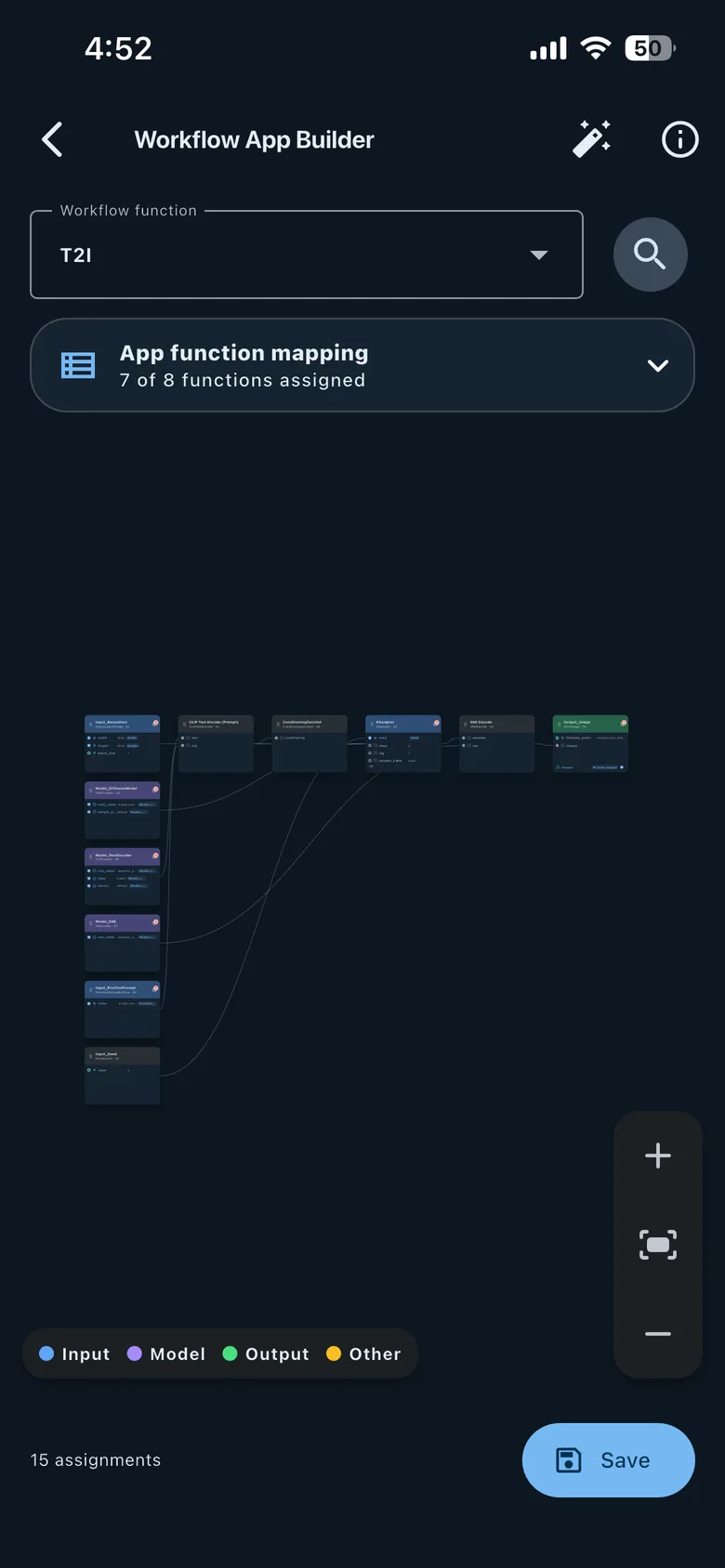
After importing, open the workflow’s app-function mapping and review the assigned roles. You can manually assign or correct a role before saving.
Workflow App Builder · function mapping
Recommended preparation workflow
For the most reliable result:
- Open the workflow in the browser-based ComfyUI frontend.
- Set the exact Title of each node HandyComfy should identify.
- Use two-digit suffixes for reference-image inputs.
- Export the workflow in API format.
- Import the JSON file into HandyComfy.
- Review compatibility warnings and the workflow graph.
- Correct any remaining app-function mappings manually.
This process is especially helpful for workflows that contain custom nodes. It does not guarantee that every custom node is compatible, but it gives HandyComfy the clearest available role information.